


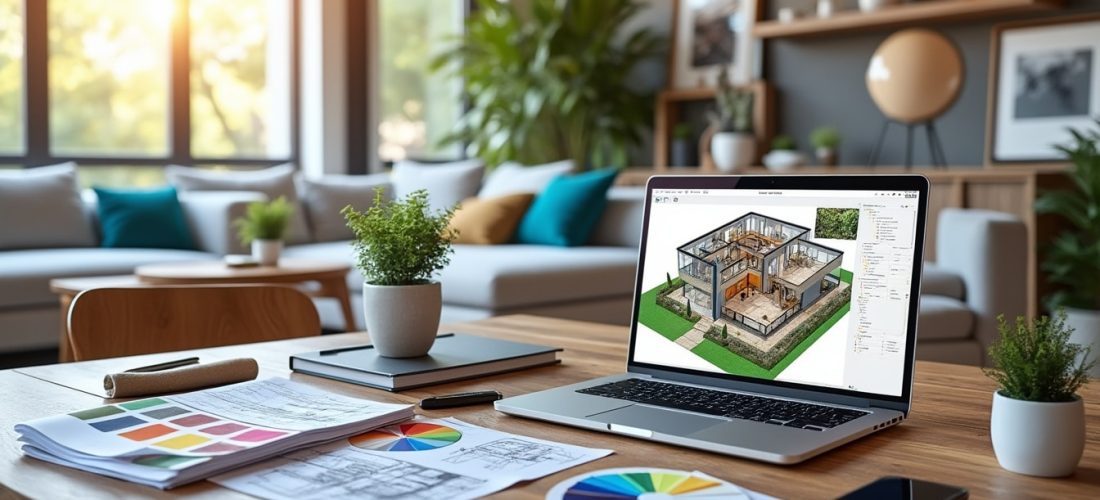
Choosing a free interior decoration software in 2026 is less about chasing the flashiest interface and more about matching the tool to the project. A student furnishing a first studio, a family repainting a living room, and a renovation contractor measuring a whole flat do not need the same features, even when they all want a reliable home design result.
In practice, the best software déco combines three strengths: a convincing 3D interior plan, fast handling for everyday interior decoration, and enough freedom to test colors, furniture, and room layouts without paying immediately. That is why the strongest free tools for decor are not always the most complex ones, and the smartest choice usually begins with the actual need, not the brand name.
A retenir :
- Free tools for inspiration, planning, and color testing
- AR placement for furniture before buying
- Different uses for beginners and professionals
- Useful options without mandatory subscriptions
- Simple path from idea to real-room test
Free interior decoration software: the fastest way to avoid costly mistakes
Once the essentials are clear, the real value of a free interior decoration software becomes obvious: it reduces guesswork before money leaves your wallet. A sofa that blocks a doorway, a table that looks fine in a catalog but overwhelms a room, or a paint tone that changes under evening light can all be checked earlier.
According to Houzz, 83 percent of renovating homeowners used a mobile app to plan their project before hiring a professional. That behavior fits a broader shift in interior design: people want to test, compare, and correct ideas before they commit to purchases or tradespeople.
A practical point matters here. A good home decoration software should save time, support a clear creation intérieure process, and help users move from a sketch to a believable room view.
À retenir :
- Less guesswork before purchases
- Better room fit and circulation
- Faster testing of colors and furniture
- Safer decisions for first-time decorators
When a room layout needs proof, not intuition
This first angle is about measurement, because many mistakes start with dimensions that feel right but fail in real space. According to Houzz, mobile planning has become a common step even for homeowners who later hire specialists.
Homestyler and Home Planner stand out here because they turn a rough idea into a visual model without requiring advanced technical skills. A young couple furnishing a narrow apartment can see immediately whether a dining table should sit near the window or against the wall.
That kind of early proof is not glamorous, yet it changes the whole project. The next angle shows why inspiration alone is not enough when the goal is a coherent result.
Inspiration becomes useful only when it can be tested
This second angle follows the practical need to move from mood to action, especially when a style looks attractive on a screen but feels too heavy in a small room. According to Houzz, the platform offers more than 40 million photos, which makes it a reference point for visual ideas.
Pinterest works well as a visual library, while Houzz connects inspiration to professional advice and product testing. Someone planning a compact bedroom can save Scandinavian, Japandi, and vintage references, then compare them against wall color and storage constraints.
That pairing of inspiration and verification explains why the strongest tools are often the ones that stay simple at first glance. The next section moves from room logic to the tools that make the visual test more concrete.
Best free software déco options for 3D planning and realistic visual tests
After the first decision point, users usually want more than images and need a clear plan 3D intérieur to check proportions. That is where a logiciel gratuit becomes valuable again, because it lets people model walls, furniture, and circulation without buying a full professional suite.
Homestyler, Planner 5D, and Home Planner are the most convincing options for that purpose, each with a different balance between ease and depth. According to product information from the publishers, Home Planner includes AR or LiDAR scanning, while Planner 5D focuses on realistic rendering and a large object library.
The distinction matters for real use. A first-time decorator may prefer Homestyler’s simple drag-and-drop approach, while a more demanding user will appreciate Planner 5D’s richer rendering and broader design intérieur possibilities.
À retenir :
- Homestyler for accessible 3D modeling
- Planner 5D for realistic renders
- Home Planner for AR scanning
- Better control over furniture proportions
| Tool | Main strength | Best for | Free use |
|---|---|---|---|
| Homestyler | Simple 3D planning | Beginners | Yes |
| Planner 5D | Realistic rendering | Detailed projects | Yes, with limits |
| Home Planner | AR and LiDAR scan | Furniture placement | Yes |
| SketchUp Free | Precise modeling | Advanced users | Yes |
Choosing between simplicity and precision
This first angle matters because every household has a different tolerance for complexity. A renter preparing a quick makeover needs speed, while a homeowner planning a major remodel may want a more precise logiciel maison.
According to the publishers, SketchUp Free offers strong modeling precision, but it asks for more patience than Homestyler or Home Planner. In a practical case, a freelance decorator could start with Homestyler for the first layout, then move to SketchUp Free for a detailed wall niche or custom shelf.
That progression works because the software follows the project’s ambition, not the other way around. The next angle looks at color and material choices, where many expensive errors still happen.
Testing colors and materials before the first purchase
This second angle follows naturally, because even the best layout can fail if the wall color or floor tone clashes with the rest. According to Dulux Visualizer, users can test more than 1,200 colors, which gives a broad range for comparing warm, cool, and neutral palettes.
That is especially useful in rooms with mixed light, where a paint sample can shift dramatically between morning and evening. A family repainting a hallway can compare several shades in minutes instead of buying multiple test pots blindly.
For this reason, color tools deserve a place beside software déco focused on furniture. They close the gap between imagination and the actual room, which leads directly to the more specialized tools used by pros.
Free interior decoration apps for professional-style presentations
Once the room layout and color strategy are in place, some projects need a sharper presentation layer. That is where tools such as Morpholio Board, MagicPlan, and SmartDraw become useful, especially for people who work with clients or technical constraints.
According to MagicPlan, the app is aimed mainly at building professionals, while SmartDraw focuses on technical diagrams and structured plans. Morpholio Board, meanwhile, helps designers assemble moodboards with palettes, sourcing notes, and visual references in one place.
Those differences matter because a polished project is not only about beauty. It also needs measurements, sourcing logic, and a readable path from idea to execution for anyone involved.
À retenir :
- Moodboards for client presentation
- Technical plans for complex projects
- Measurement tools for renovation work
- Stronger fit for architects and decorators
| Tool | Primary use | Audience | Notable limit |
|---|---|---|---|
| Morpholio Board | Moodboards and sourcing | Designers | iOS and macOS only |
| MagicPlan | Photo-based measurement | Professionals | Less friendly for casual users |
| SmartDraw | Technical diagrams | Business and pro users | Less intuitive for home use |
| Houzz | Inspiration and product ideas | Broad audience | Less technical than drafting tools |
When a moodboard changes a client meeting
This first angle is useful because images alone often fail to explain a concept to someone else. A moodboard built in Morpholio Board can combine fabric, paint, and furniture references in a single readable frame.
According to Houzz, inspiration remains one of the main reasons people use décor platforms, and that explains why presentation tools matter so much. A designer showing a client three coherent directions can make choices faster than someone describing finishes verbally.
“I brought three visual directions to a client meeting, and the decision came together in ten minutes.”
Claire M.
That clarity is often what separates an attractive idea from an approved project. The next angle looks at technical planning, where accuracy becomes non-negotiable.
Technical plans when renovation gets serious
This second angle follows the same logic, but the stakes are higher because walls, measurements, and circulation must align. MagicPlan uses the camera to capture dimensions, while SmartDraw supports structured technical work.
A contractor checking a remodeled corridor benefits from that precision more than from decorative flair. For a family, the value lies in knowing whether a partition, closet, or kitchen island is realistic before ordering materials.
“I measured the apartment with my phone and avoided a costly mistake on custom cabinetry.”
Julien R.
That kind of practical gain explains why these apps keep a place in the toolbox, even when they feel less playful than inspiration-focused platforms. The final section helps match each tool to the right user profile.
How to choose a free software déco by project, skill, and room type
Once the major categories are clear, choosing becomes much easier because the project itself gives the answer. A bedroom refresh, a rental apartment, and a kitchen renovation do not call for the same outil, even if they all belong to the world of décoration d’intérieur.
According to the editors of the referenced tool guides, Houzz and Pinterest lead for inspiration, while Homestyler, Planner 5D, and Home Planner cover most aménagement intérieur needs. IKEA and Home Planner are the strongest for AR furniture testing, and that makes them practical when a purchase is imminent.
For an amateur, the safest route is to start with the most intuitive platform, then move to a richer one only if the project grows. That is how creation intérieur stays enjoyable instead of turning into a technical chore.
À retenir :
- Inspiration first with Houzz and Pinterest
- 3D planning with Homestyler or Planner 5D
- AR furniture testing with IKEA and Home Planner
- Technical work with MagicPlan or SmartDraw
Source : Houzz, State of Home Spending, Houzz, 2024 ; Houzz, platform information, Houzz, 2026 ; Dulux, Visualizer product information, Dulux, 2026
“I started with inspiration boards, then moved to a 3D layout when the room shape became clearer.”
Sophie L.
“The free version was enough for my living room, and it saved me from buying the wrong sofa.”
Marc D.


